
Calendar Scheduler for Crestron Home
Please Login / Register to view pricing.
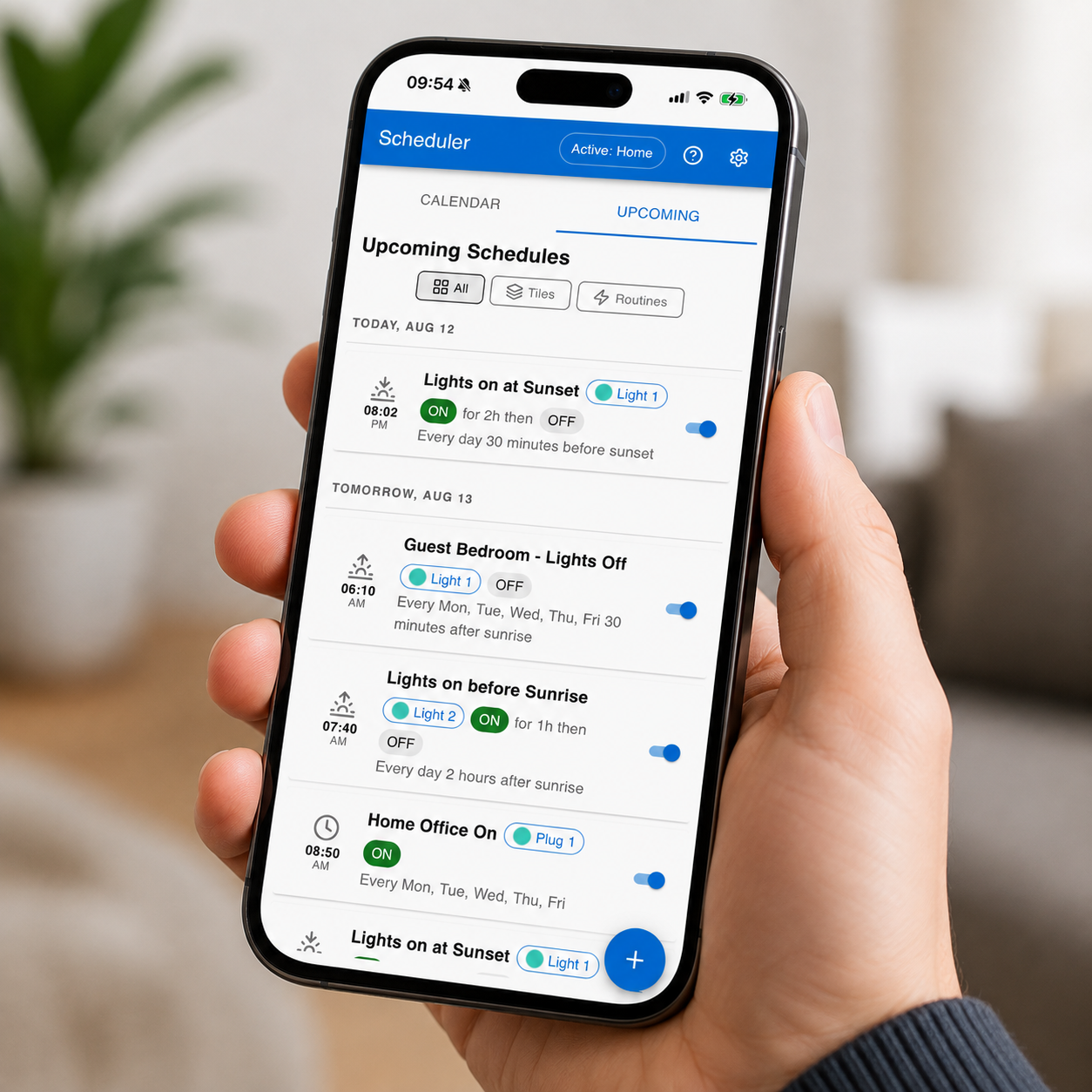
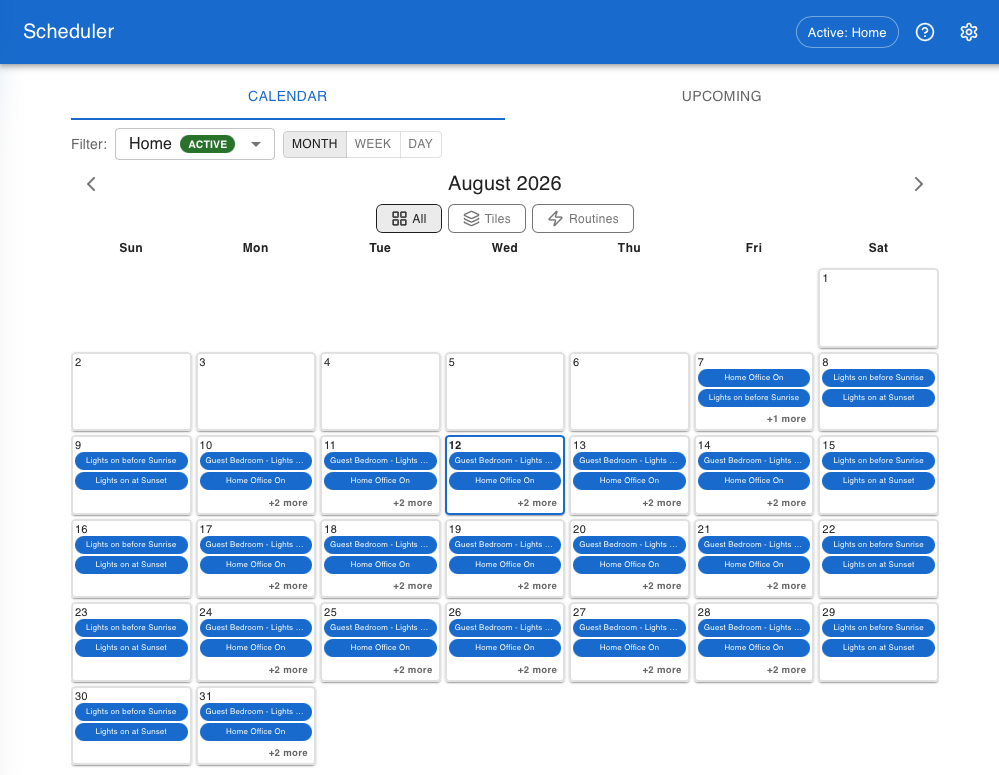
Simple in concept but rich in functionality, the Calendar Scheduler gives homeowners an intuitive way to create and manage schedules for both Janus Action Tiles and Crestron Home Quick Actions. The Janus Calendar Scheduler Web App provides familiar calendar-based scheduling, with repeating events, date exceptions and astronomical timing based on sunrise, sunset, dawn and dusk.
With support for Profiles, users can instantly switch between entire sets of schedules to suit different situations — such as Home, Away, Guests or Holiday — without having to edit individual schedules.
Calendar Scheduler for Crestron Home
Powerful, flexible scheduling for Crestron Home — with simple control for the homeowner.
The Janus Technology Calendar Scheduler for Crestron Home brings flexible, calendar-based scheduling to your smart home, allowing homeowners to manage everyday automation without needing to call their integrator whenever a schedule needs to change.
Combining Janus Action Tiles, Crestron Home Quick Actions, calendar scheduling, astronomical timing and Profiles, Calendar Scheduler makes it easy to create automation that adapts to both the time of day and the way the home is being used.
Powerful scheduling, made simple
At the heart of the solution is the Janus Calendar Scheduler, an intuitive web application designed for everyday homeowner use.
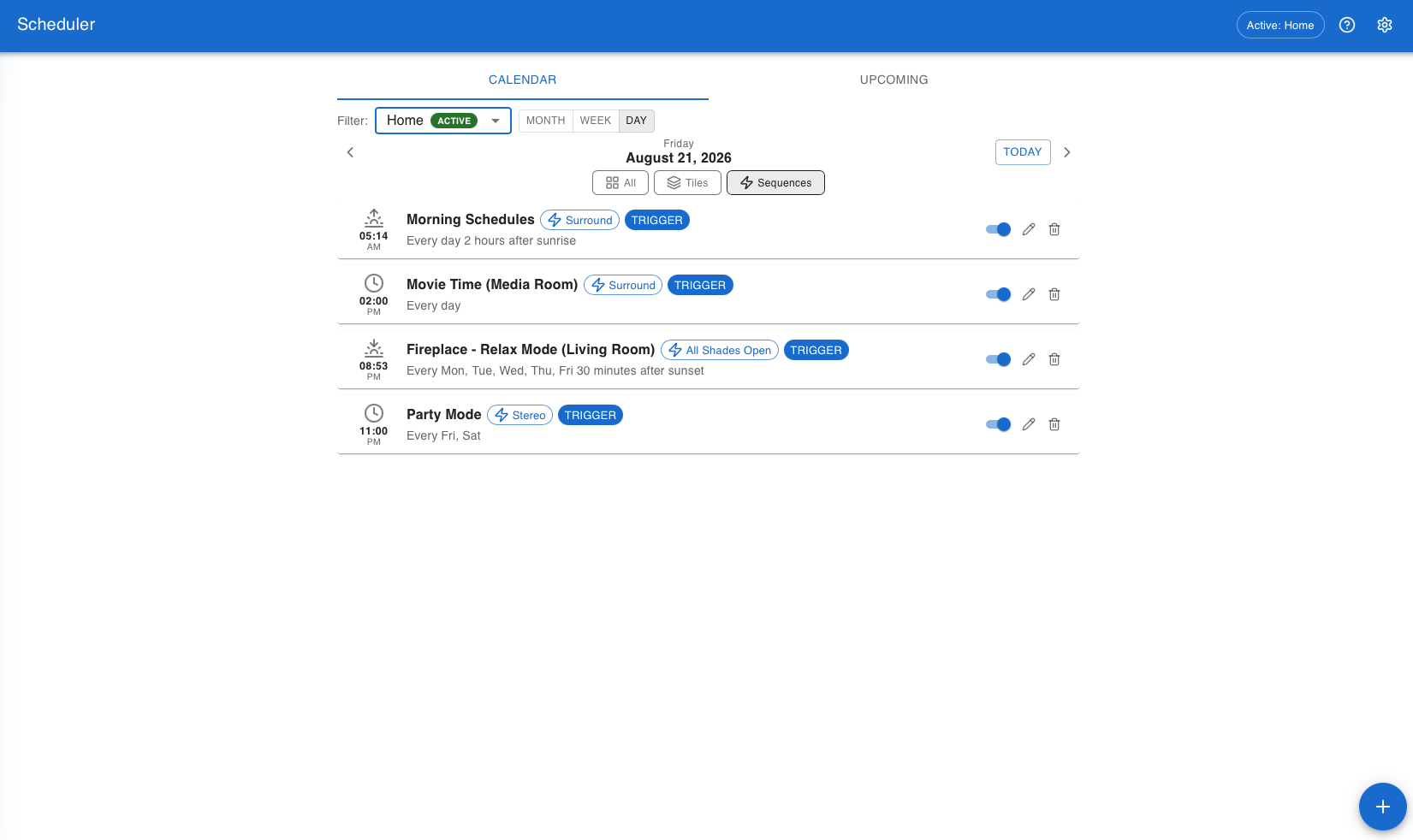
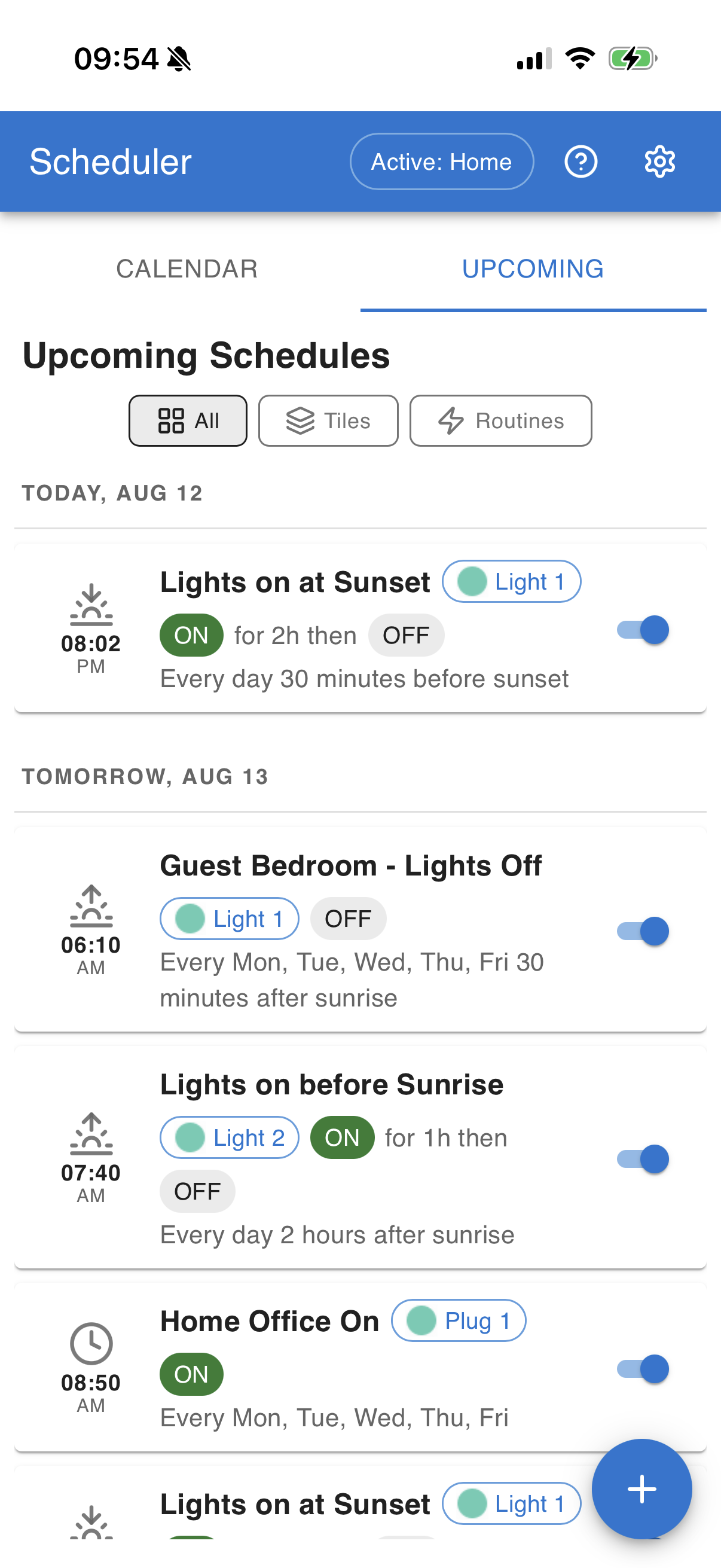
Schedules can be created and managed using familiar Month, Week, Day and Upcoming views, with support for:
- One-off and repeating schedules
- Daily, weekly, monthly and yearly recurrence
- Individual date exceptions
- Sunrise, sunset, dawn and dusk scheduling
- Configurable offsets before or after solar events
- Multiple scheduling Profiles
- Janus Action Tiles
- Crestron Home Quick Actions
The Scheduler can be bookmarked in a browser or added to a phone or tablet home screen, giving homeowners straightforward access to their schedules whenever they need it.
Action Tiles — simple controls, powerful possibilities
Action Tiles provide a simple On/Off control interface within Crestron Home that can be configured by the integrator to control almost anything.
Each Action Tile provides Output-On and Output-Off events that the integrator associates with the required Crestron Home actions. These might simply switch a relay on and off, or trigger a more sophisticated sequence involving multiple devices.
The homeowner still sees a clean, intuitive control — while the integrator retains complete flexibility over what happens behind it.
Each Action Tile can have multiple configurable states, with custom names and icons. This makes it possible to create controls such as:
- Simple On / Off
- Scheduled On / Off
- Boost for 15 minutes
- Boost for 1 hour
- Follow Schedule
- Permanently On
A single tile might therefore present Off, Follow Schedule, Boost 15 Mins, Boost 1 Hour and On, giving the homeowner useful control without exposing the complexity of the underlying automation.
Action Tiles are ideal for applications such as heating, hot water, towel rails, ventilation, irrigation, exterior lighting, circulation pumps, pool equipment and much more.
Schedule your Crestron Home Quick Actions
Calendar Scheduler isn’t limited to Action Tiles.
Existing Crestron Home Quick Actions can also be discovered by the Scheduler and made available for scheduling, allowing pre-built Crestron Home automation sequences to run automatically at the required time.
Integrators can choose to expose all Quick Actions or restrict scheduling to Quick Actions using a configurable naming prefix, keeping the homeowner’s Scheduler clean and relevant.
This opens up scheduling to much more than simple On/Off control — from whole-home scenes to complex multi-device automation sequences.
Astronomical scheduling
Schedules don’t have to run at a fixed clock time.
Calendar Scheduler can trigger events relative to sunrise, sunset, dawn or dusk, automatically adjusting throughout the year according to the property’s location.
An optional offset allows events to occur before or after the astronomical event — for example, switching exterior lighting on 30 minutes before sunset.
Profiles — schedules that adapt to your lifestyle
Profiles allow entire sets of schedules to be switched together, making it easy for the home to behave differently depending on how it is being used.
For example, Profiles could include:
- Home — normal everyday schedules
- Away — reduced heating and different lighting behaviour
- Guests — schedules adjusted while visitors are staying
- Holiday — reduced energy use while retaining essential services such as irrigation
Switching Profile instantly changes which schedules are active, without having to edit or disable them individually.
So when circumstances change, the homeowner simply changes Profile and the appropriate schedules take over.
Designed for homeowners. Configured by integrators.
Calendar Scheduler gives integrators the flexibility to build sophisticated automation while giving homeowners straightforward control over the things they may want to change day to day.
Once configured, homeowners can create and adjust schedules, change repeat patterns, add exceptions and switch Profiles themselves.
That means a more flexible Crestron Home system for the homeowner — and fewer service calls for routine scheduling changes.
From simple schedules to intelligent home behaviours.
Simple cloud licensing
Calendar Scheduler features Janus Technology’s cloud-based licensing system.
After purchasing the driver and providing your Crestron Home processor’s MAC address, the driver automatically licenses itself, with no licence settings for the installer to configure in Crestron Home.
Licence activation may take up to one working day. During this period, the driver remains fully functional in Demo Mode.
The Crestron Home processor must have access to the internet.
This driver features Janus Technology’s new cloud-based licensing system. After purchasing the driver and providing your Crestron Home processor’s MAC address, the driver will automatically license itself, eliminating the need for the installer to configure any licence settings in the Crestron Home setup.
The license activation may take up to one working day, but in the meantime, the driver will remain fully functional in Demo Mode.
The Crestron Home processor must have access to the internet.





Reviews
There are no reviews yet.